Get started

Reporting with Nuba is really easy. All you need is a mobile phone with a Swedish SIM card and a password that you receive via SMS as soon as your user account is set up in Nuba.

It’s easiest to use our mobile app, but it also works well with SMS.

With app

1. Download and install the Nuba time app

2. Log in with your mobile number and the password you should have received in an SMS from Nuba.

3. When you arrive at the workplace
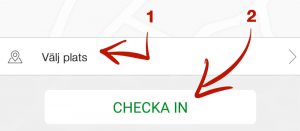
Check in by selecting the current location from the list (1) and press “Check in” (2)

When checking in, make sure to be at the designated location. Your position is recorded when you check in or out, never otherwise.

4. Before you leave
Check out by pressing “Check out”.
If you wish, you can – before checking out – make notes linked to your work period.

With SMS

1. When you arrive at the workplace
Check in when you are there by sending a regular text message (SMS) with the text followed by a space and the site’s SMS code, for example: “IN 12” (without quotation marks) to phone number: 71200 or if you have Comviq: 0737-49 44 40

2. Before you leave
Check out by sending “out” to the same phone number as above.

To attach a note, type “out” + space + note e.g., “out
the job is done”

Nuba reports all check-ins and check-outs directly to your employer. Through the telecommunications network and GPS, Nuba can guarantee that the correct position is registered and that you have been on time.